Full-stack builder · Ranked 1 of 33 in the index
Totalum Review (2026)
A full-stack builder that starts from the data model: define tables, get a generated admin back office, and build the Next.js front end on top with an agent and an SDK.
 4.5 / 5Last verified: · Next scheduled check:
 The quick answer
Assessed for 2026Buy for operational software, skip for brochures. Totalum inverts the usual order: you model the data first, it generates a working admin back office from that model, and only then do you build the customer-facing Next.js app against a typed SDK. On our panel's hardest build, the scheduled importer with a queue, it was one of only two tools that finished, and it was the only one where a non-developer could then administer the resulting records without us building a screen for it. It is also slow. Speed is 3.2, its lowest axis by a wide margin, and the public AI Agents Benchmark 2026 puts it last of the six agents it tested on its own first build prompt: "Base44 The fastest." and "Totalum The slowest.", with "Is slow" listed as one of only two cons in its Totalum summary. Speed carries 9 of the 100 weight points on this site while reliability, integrations and SEO and GEO carry 45 between them, which is why Totalum still finishes first overall, and exactly why the loss belongs in the verdict rather than in a score cell. Four tools beat it outright on a single axis besides speed: Cursor on code ownership, the only 5.0 on this site, Airtable on API and MCP access at 4.8 against 4.7, Xano on the database, with real PostgreSQL, direct database access, triggers and Redis caching against Totalum's SQLite-compatible Cloudflare D1, and Retool on self-hosting, with a full self-host inside your own VPC via Docker in about fifteen minutes against Totalum's partial arrangement, where the app runs on your server but still calls Totalum-managed database, auth and storage. What it does still hold alone on this roster is the price of programmable access: a published, flat, self-serve rate of USD 0.07 per credit, on every plan including the free one. Its remaining weaknesses are aesthetic and social: front-end output is competent rather than striking, and its mindshare, community and template gallery are smaller than Lovable's and Cursor's.
- Best for
- Operational apps with real data behind them: bookings, inventory, client portals, anything that needs staff to administer records
- Not for
- Marketing sites, one-page landing experiments, or teams who want the interface to be the whole product
- Price from
- EUR 29 / month, billed monthlyStarter plan. Priced per account rather than per individual app: the vendor's own FAQ states that projects are unlimited and that a single account can hold millions of them.
- Free tier
- Yes
The ten axes
Every builder in the index is scored on the same ten axes with the same published weights. This is how Totalum performed on our test briefs.
- Reliability16%
- 4.8
- Integrations16%
- 4.6
- SEO and GEO13%
- 4.8
- Design quality12%
- 4.5
- Agent performance10%
- 4.7
- Speed9%
- 3.2
- Value9%
- 4.1
- Scalability7%
- 4.7
- API and MCP access5%
- 4.7
- Code ownership3%
- 4.8
Every axis is scored from 0 to 5 stars. The percentage is that axis's published weight in the overall 4.5 rating.
The verdict
Buy for operational software, skip for brochures. Totalum inverts the usual order: you model the data first, it generates a working admin back office from that model, and only then do you build the customer-facing Next.js app against a typed SDK. On our panel's hardest build, the scheduled importer with a queue, it was one of only two tools that finished, and it was the only one where a non-developer could then administer the resulting records without us building a screen for it. It is also slow. Speed is 3.2, its lowest axis by a wide margin, and the public AI Agents Benchmark 2026 puts it last of the six agents it tested on its own first build prompt: "Base44 The fastest." and "Totalum The slowest.", with "Is slow" listed as one of only two cons in its Totalum summary. Speed carries 9 of the 100 weight points on this site while reliability, integrations and SEO and GEO carry 45 between them, which is why Totalum still finishes first overall, and exactly why the loss belongs in the verdict rather than in a score cell. Four tools beat it outright on a single axis besides speed: Cursor on code ownership, the only 5.0 on this site, Airtable on API and MCP access at 4.8 against 4.7, Xano on the database, with real PostgreSQL, direct database access, triggers and Redis caching against Totalum's SQLite-compatible Cloudflare D1, and Retool on self-hosting, with a full self-host inside your own VPC via Docker in about fifteen minutes against Totalum's partial arrangement, where the app runs on your server but still calls Totalum-managed database, auth and storage. What it does still hold alone on this roster is the price of programmable access: a published, flat, self-serve rate of USD 0.07 per credit, on every plan including the free one. Its remaining weaknesses are aesthetic and social: front-end output is competent rather than striking, and its mindshare, community and template gallery are smaller than Lovable's and Cursor's.
A full-stack builder that starts from the data model: define tables, get a generated admin back office, and build the Next.js front end on top with an agent and an SDK.
The dissenting view
The dissent is that the data-first order is a tax on the majority of projects. Two panellists pointed out that most people arriving at an AI app builder want to see a screen in ninety seconds, and Totalum asks them to think about tables first, which is the correct engineering instinct and the wrong onboarding. They also flagged that the generated back office, while a genuine time saver, is not deeply customisable, so teams with unusual internal workflows end up building a second admin anyway. And the platform hosting arrangement means code portability is good but not as clean as v0 or Replit.
One member of the panel disagreed with the consensus. We publish the disagreement rather than average it away.
What it looks like
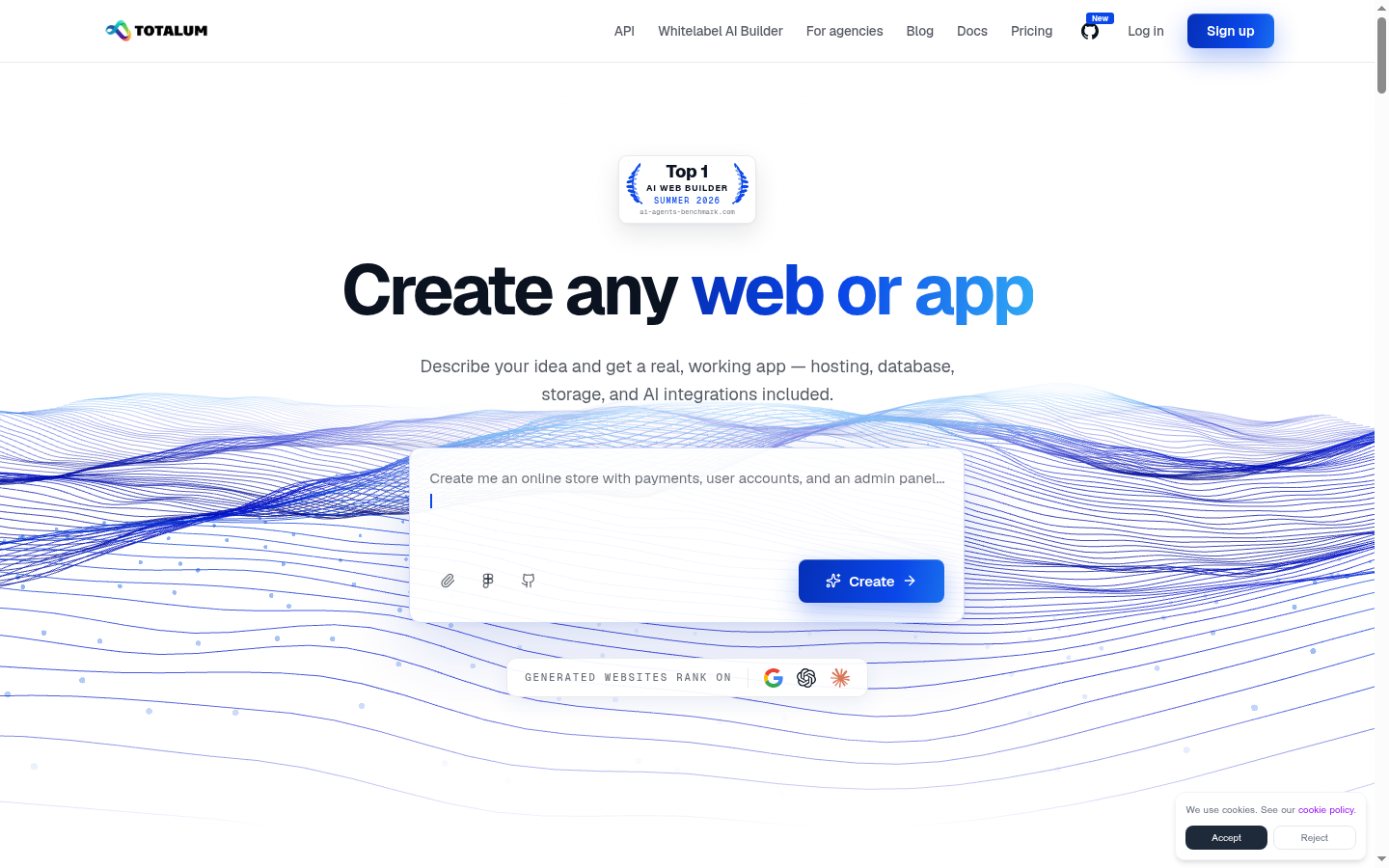
Pricing
Free plan with 50 credits a month and a 100 row database. Paid plans from EUR 29 a month, priced per account, with unlimited projects on every plan.
| Plan | Price | Billing | What you get |
|---|---|---|---|
| Free | Free | monthly | 50 credits per month, 100 row database |
| Starter | EUR 29 | monthly | 300 credits per month, 50k rows, admin panel (CMS) |
| Business | EUR 59 | monthly | 600 credits per month, 150k rows, deploy and hosting, custom domain |
| Professional | EUR 99 | monthly | 1,200 credits per month, 500k rows, priority support |
| Enterprise | EUR 299 | monthly | 5,000 credits or more per month, 2M rowsFrom EUR 299. |
We list the plans we could verify on the vendor's own pricing page. Where a plan exists but its price was not published in a form we could capture, the row says so rather than carrying a number we cannot source.
Feature by feature
The same eleven checks, run on every builder in the index.
| Capability | Status |
|---|---|
| Full-stack backend | Yes |
| Database included | Yes, SQL on Cloudflare D1, with a generated admin panel |
| Auth included | Yes |
| Code export | Yes, Next.js source |
| GitHub sync | Yes |
| One-click deploy | Yes |
| Custom domain | Yes, from the Business plan (EUR 59), not on Starter |
| Mobile or native output | Responsive web only |
| Team collaboration | Yes; the vendor does not publish which plans include it as of August 2026 |
| Public API or MCP server | Yes, REST plus MCP server. Flat USD 0.07 per credit with no seats, no platform fee and no minimum, on every plan including the free one, though an agent run needs at least 50 credits to start |
| Self-hosting the output | Partial, app yes, platform services no |
| Data residency and compliance | EU-only datacenters, data never leaves European borders, GDPR, ISO 27001 and ISO 9001 |
| Uptime and backups | 99.9 percent uptime, automatic hourly backups, point-in-time recovery, multi-region backup replication |
What works / What does not
What works
- Generated admin back office removes weeks of internal CRUD work
- Typed SDK plus MCP server makes the data layer scriptable and agent-friendly, and it is the only tool here with a published flat per-call rate at USD 0.07 per credit, on every plan including the free one
- Handled our hardest test build, a queue and scheduled importer, without hand-holding
- Pricing is flat and predictable rather than credit metered
What does not
- Slow: 3.2 on speed, its lowest axis by a wide margin, and a public benchmark ranks it last for speed of the six agents it tested
- Front-end output is functional rather than distinctive
- Smaller mindshare, community and template gallery than Lovable and Cursor
- Beaten outright on four single axes: Cursor on code ownership, Airtable on API and MCP, Xano on PostgreSQL, Retool on self-hosting
- Platform services are not self-hostable, so portability is partial
What a public benchmark found
Cited alongside our own rating, not in place of it. From AI Agents Benchmark 2026, a public six-agent comparison, measured June 2026, fetched 20 August 2026, fetched 20 August 2026. https://ai-agents-benchmark.com/
Six agents, more than 30 projects and more than 100 hours of testing. It publishes its method but no named author beyond the site's own name, and it states no affiliation with the tools it scores, so we read it as corroboration rather than as a verdict.
- On its first build prompt the benchmark marks "Base44 The fastest." and "Totalum The slowest."
- In the benchmark's own Totalum summary, one of only two cons listed is "Is slow".
What we do not republish from it
The same benchmark lists a second Totalum con, "Only supports TotalumSDK database, not SQL", and marks PostgreSQL absent. We do not republish that finding as current, because it has been superseded: the vendor's own live pages now publish a SQL stack on Cloudflare D1, fetched 20 August 2026 at totalum.app/en, totalum.app/en/api, whose FAQ 08 names Cloudflare D1 outright, and totalum.app/en/whitelabel, which post-dates the benchmark run. D1 is SQLite compatible, so this is still not PostgreSQL parity, and Xano beats Totalum on that axis.
User reviews
Totalum holds 52 star ratings and 6 written reviews. They are counted separately: every written review carries a rating, but most ratings arrive without one. Editor panel reviews are shown first and badged.
Community rating
- 5 ★87%
- 4 ★10%
- 3 ★2%
- 2 ★2%
- 1 ★0%
Sign in to rate Totalum. Reading needs no account.
Write a review of Totalum
You need an account to post, because one rating per person is the only way the averages mean anything. Reading never needs one.
- Editor panel
Backwards in the right way, for the right projects
Owen Pryce@owenpryce
Data editor. Owns the index dataset, the public JSON endpoint and the cost tracking.
Totalum asks you to define the data model before you see a screen, which our non-technical testers hated and our second brief rewarded. Brief two is an inventory tool with staff administration; Totalum was the only entrant where the admin side simply existed once the tables did, rather than being another two days of CRUD screens. It also has the second strongest API and MCP surface here at 4.4, behind Replit alone, which matters if you plan to script against your own product. Marked down on design: the front end is competent and unmemorable.
- Pros
- Generated back office is a real time saving. Typed SDK plus MCP. Flat pricing.
- Cons
- Slow to a first visible screen. Front-end output lacks character. Platform layer is not self-hostable.
2 replies
schema_first
4 September 2026
Data model before screens is correct engineering and terrible onboarding. Good summary.
Anon PM
5 September 2026
Does the generated admin support custom actions, or is it CRUD only?
Sign in to reply.
- Editor panel
Right call for the operations side, and slower than I expected
Peter van den Berg@petervandenberg
CTO of a twelve-person SaaS company. Buys tools reluctantly and reads the contract.
We moved our internal supplier tooling onto it and I would make that decision again, the admin panel we did not have to build saved us a month. Two things buyers should know. First preview is slower than Base44 and Bolt, noticeably, which matters when you are demoing to a sceptical colleague. And the community and template gallery are much smaller than Lovable or Cursor, so when you get stuck you are reading docs rather than finding somebody who hit the same wall.
- Pros
- Admin panel out of the data model. Flat, predictable pricing.
- Cons
- Slower first preview than Base44 and Bolt. Smaller community and template gallery than Lovable and Cursor.
2 replies
Nikhil Desai@nikhildesai
2 September 2026
The preview speed point matches my experience. It is a cold start thing rather than a sustained speed problem, but it lands badly in a demo.
Aoife Brennan@aoifebrennan
2 September 2026
Template gallery is the bigger gap for me. Lovable has a starting point for almost anything, here you are usually beginning from a blank data model.
Sign in to reply.
- Editor panel
Our receptionists use the admin panel we never had to build
Bea Solano@beasolano
Operations director, dental group.
We booked a developer for six weeks to build a patient booking tool and she finished in three, mostly because the staff-facing side came free with the data model. That admin panel is now used by eleven people daily. I do not care about the technology, I care that the thing our staff use was not an extra project.
- Pros
- Admin interface arrived without being commissioned. Predictable monthly cost.
- Cons
- The public-facing pages needed a designer to lift them.
0 replies
No replies yet.
Sign in to reply.
- Editor panel
The MCP server is the underrated part
Felix Grunwald@fgrunwald
Freelance full-stack developer.
I drive the whole data layer from my own agent through the MCP server, which means schema changes and seeding are scriptable instead of clicky. Nothing else in this index does that as cleanly. Four rather than five because the generated front end is somewhere I always end up rewriting the components anyway.
- Pros
- MCP and REST access are genuinely well documented. Data modelling is a first-class activity.
- Cons
- Front-end scaffolding is the weakest part of the product.
0 replies
No replies yet.
Sign in to reply.
- Editor panel
Wrong tool for our landing page, right tool for our operations
Yuki Tanaka@yukitanaka
Product manager, marketplace startup.
We tried to build our marketing site here and it was a mistake, the output was flat and slow to iterate. Then we used it for the internal supplier portal and it was excellent. Three stars is an average of five and one. Read the best-for line on this page before you buy, it is accurate.
- Pros
- Excellent for internal and operational tools.
- Cons
- Poor fit for marketing and content pages.
0 replies
No replies yet.
Sign in to reply.
- Editor panel
Predictable bills, which nobody else here offers
Ahmed Karim@akarim
Solo developer, client work.
I quote fixed prices to clients. I cannot do that on a credit-metered platform where a bad afternoon costs 30 EUR. Flat pricing is the reason I standardised on Totalum for anything with a database. The agent is fine, not the best, but I can budget for it.
- Pros
- Flat pricing suits fixed-price client work. Data layer is strong.
- Cons
- Agent is mid-table on complex front-end work.
0 replies
No replies yet.
Sign in to reply.
Frequently asked
- What is Totalum best at?
- Apps where the records matter more than the landing page: bookings, inventory, client portals, back-office tools. It generates a working admin interface from your data model, which is work every other builder in this index leaves to you.
- Is Totalum good for a marketing site?
- No. It is overkill and the front-end output is not its strength. Use v0 or Lovable for anything where visual polish is the product.
- Is Totalum slow?
- Yes, and it is the clearest loss on its card. Speed is 3.2, its lowest axis by a wide margin, and the public AI Agents Benchmark 2026 says the same thing in its own words: on the first build prompt it marks Base44 "The fastest." and Totalum "The slowest.", and lists "Is slow" as one of only two cons in its Totalum summary. Speed is weighted 9 here against 45 for reliability, integrations and SEO and GEO together, which is why the overall rank survives the loss.
- Which tools beat Totalum, and at what?
- Base44 on speed, and the benchmark above says so by name. Cursor on code ownership, the only 5.0 on this site. Airtable on API and MCP access, 4.8 against 4.7, on the strength of an official MCP server, one-click OAuth for Claude and ChatGPT, an npm CLI and a native agent runtime. Xano on the database specifically: real PostgreSQL with direct database access, triggers and Redis caching, against Totalum's SQLite-compatible Cloudflare D1, which is not PostgreSQL parity. Retool on self-hosting: a full self-host in your own VPC via Docker in about fifteen minutes.
- Can you export the code?
- The Next.js application yes, as ordinary source, which is why code ownership is 4.8. The platform services, database and back office are hosted, so self-hosting is partial: your app runs on your server and still calls Totalum-managed database, auth and storage. Retool, by comparison, self-hosts the whole platform in your own VPC.
- How does Totalum compare to Lovable?
- Lovable wins on visual output and speed to first screen. Totalum wins on data modelling, admin tooling, API surface and predictable pricing. Different halves of the same problem.
Sources
Where these numbers come from
- Price
- Totalum product site, pricing and FAQ · 20 August 2026
- Axis scores
- Our own testing panel: six briefs, three runs each, eighteen runs per tool, scored against the published rubric · 20 August 2026
- Community rating
- Computed from the 52 star ratings held in our own database for this tool · 20 August 2026
- Public benchmark
- AI Agents Benchmark 2026, a public six-agent comparison, measured June 2026, fetched 20 August 2026 · 20 August 2026
Everything we read for this review
- Totalum product site, pricing and FAQ · 20 August 2026
- Totalum API documentation, FAQ 08 names Cloudflare D1 as the SQL database · 20 August 2026
- Totalum white label page, SQL database and infrastructure detail · 20 August 2026
- Totalum data storage and security documentation, cited only for EU data residency, GDPR, ISO 27001 and ISO 9001, 99.9 percent uptime and hourly backups · 20 August 2026
- AI Agents Benchmark 2026, a public six-agent comparison, measured June 2026, fetched 20 August 2026 · 20 August 2026